Camera Software
Focus in Lumix Tether
How to connect the cameras and lock focus on the subject.
Connect a Camera
Open Lumix Tether and select the camera you want to control.
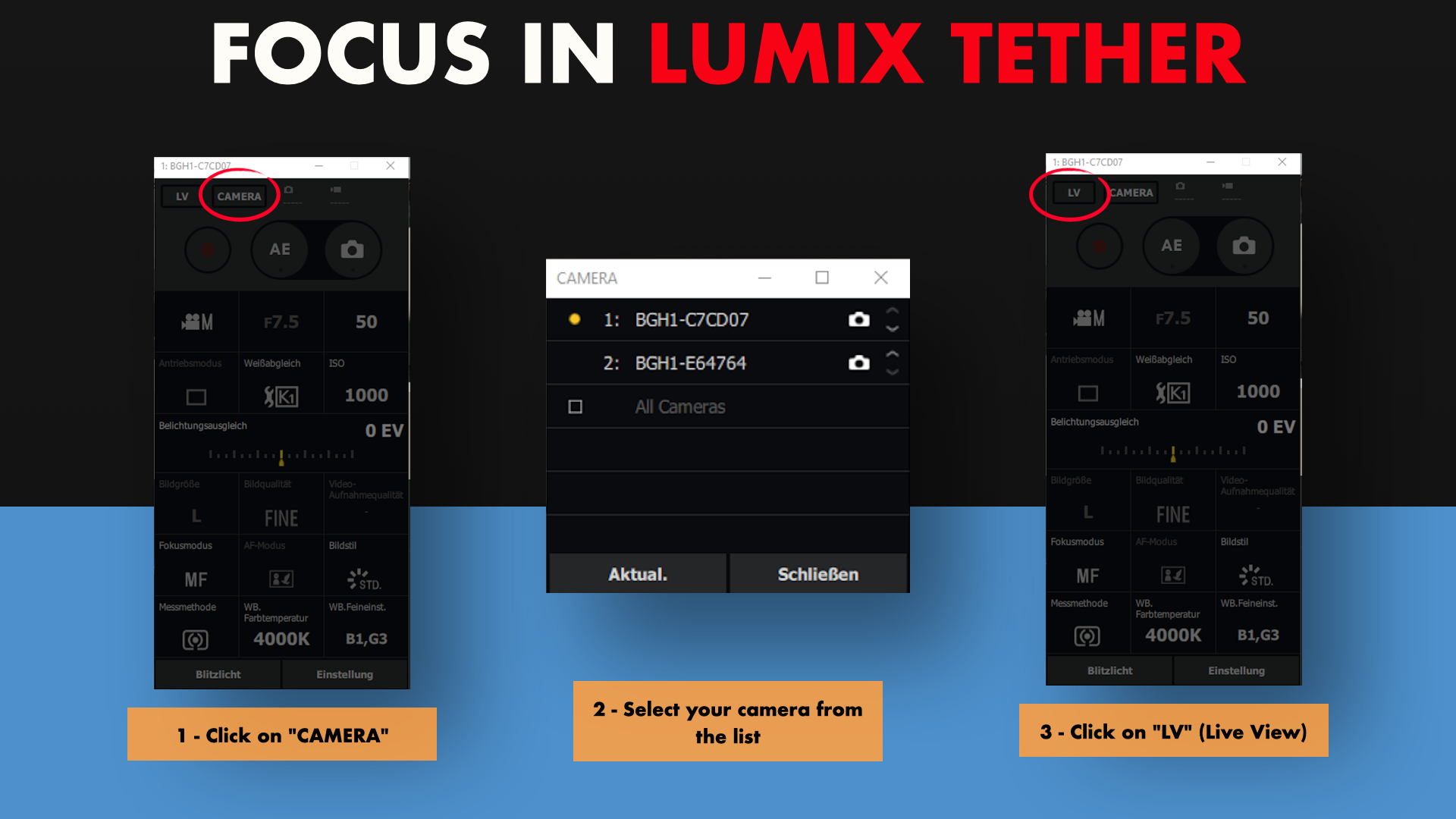
- 1Click on "CAMERA"
- 2Select your camera from the list
- 3Click on "LV" (Live View)
Lock Focus on the Subject
Use Autofocus to set focus on the subject, then switch to Manual Focus to lock it.
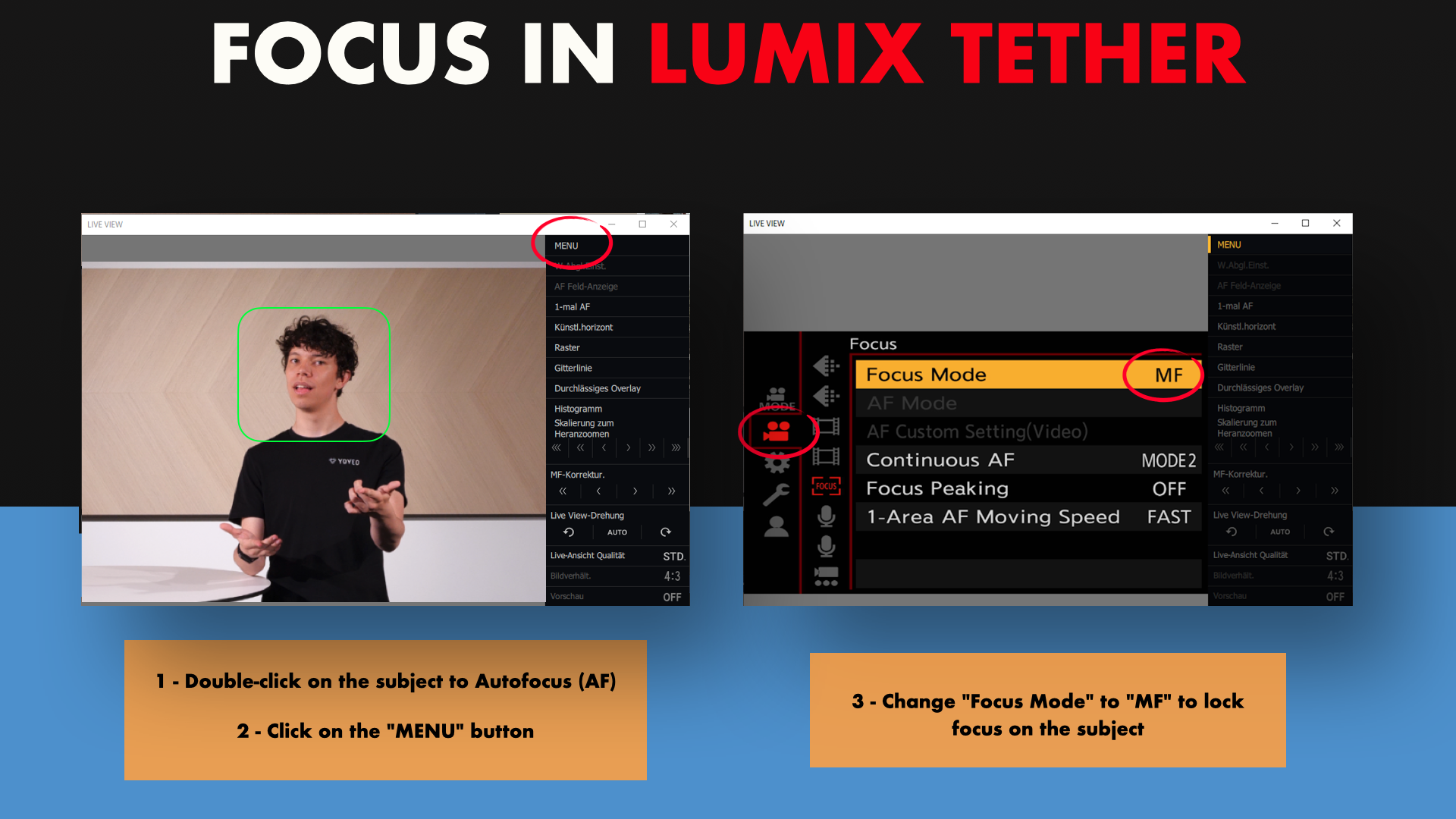
- 1Double-click on the subject to Autofocus (AF)
- 2Click on the "MENU" button
- 3Change "Focus Mode" to "MF" to lock focus on the subject